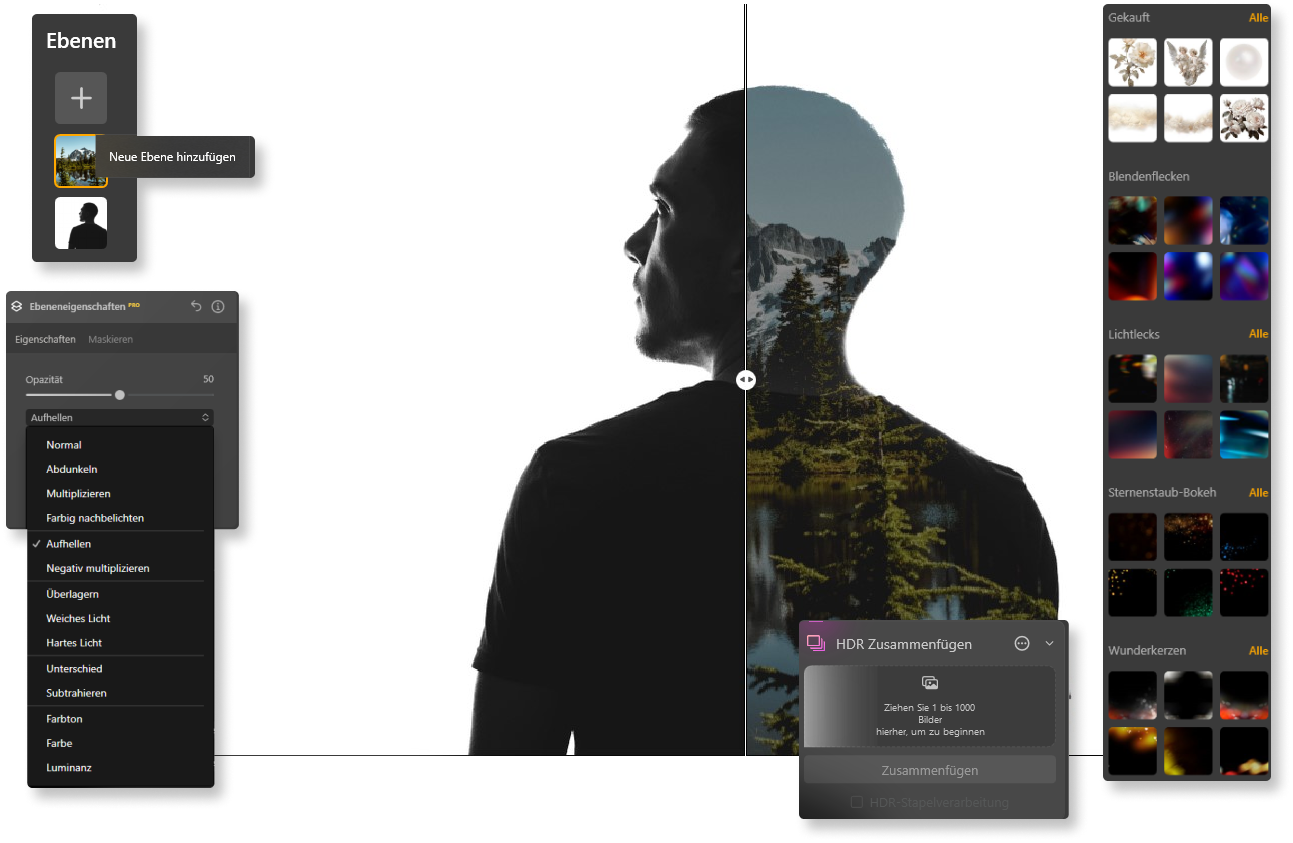
How to Combine Images — Step by Step
Versatile Ways to Combine Your Photos
Luminar Neo provides powerful tools that make it easy to combine images into one composition. Whether you are creating a collage, building a layered design, or experimenting with creative edits, the software helps you work efficiently.
With intelligent tools and a flexible editing workflow, you can use AI to combine images and adjust them with precision. From simple adjustments to advanced edits, Luminar Neo gives you the freedom to bring your creative ideas to life.
Combine Two Images—The Difference Is Clear
Smart Features of Luminar Neo
Customer Reviews
Looking for feedback from other users? Discover how photographers and creators use Luminar Neo to combine images with AI and produce stunning results with minimal effort.
Frequently Asked Questions About Combining Images
How can I combine two images?
To combine two images, simply upload the photos you want to work with in Luminar Neo. The intuitive interface guides you through the process step by step, allowing you to position, adjust, and blend the images together. You can easily refine alignment, size, or composition to create a natural-looking result.
Can I combine multiple images into one?
Yes. Luminar Neo makes it easy to combine multiple images into one. You can select several photos and arrange them into a single composition. This feature is useful for creating photo collages, layered creative edits, or wide panoramic scenes. The software ensures that the images blend together naturally so your final composition looks balanced and professional.
What image formats does Luminar Neo support for combining?
Luminar Neo supports popular formats such as JPEG, PNG, TIFF, and RAW files. RAW images are especially useful when you want the highest possible quality because they contain more image data and allow for better adjustments during editing.
How do I combine images with different resolutions?
When you combine images, Luminar Neo automatically adjusts photos with different resolutions so they fit together smoothly. The software helps balance scale and alignment to maintain a consistent and high-quality result.
How do I save the combined image in high resolution?
After you combine images into one, you can export the final result in high resolution. Luminar Neo allows you to save your edited image in formats suitable for printing, digital use, or sharing online while preserving image quality.